The Fastest Way to Extract Source Code from a YouTube Tutorial in 2026
The fastest way to extract source code from a YouTube tutorial: check eligibility, verify the files, then export a ZIP or GitHub repo.
You've paused the tutorial with an editor full of code on screen, but your local project is still missing a configuration file. The instructor has already switched windows, and you're deciding whether to rewind, hunt for a repository, or type what you can see.
The fastest way to extract source code from a YouTube tutorial is to reconstruct the project, verify its environment, and test its behaviour before making changes. Speed means reaching code you can run, version-pin, and explain, not generating the largest folder of plausible files.
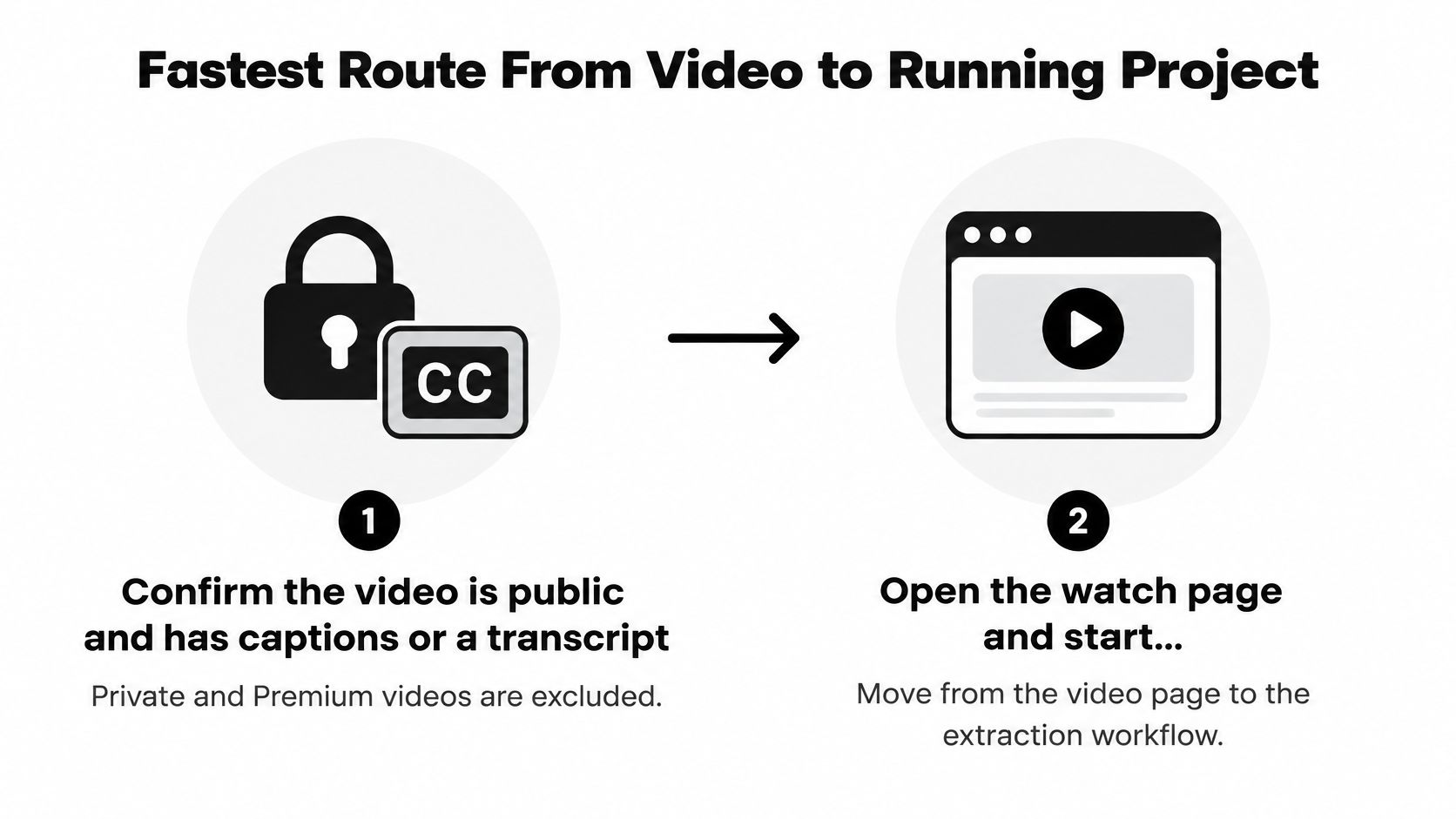
Fastest Route From Video to Running Project
Use this sequence to get from the watch page to a checked project without mixing extraction errors with your own edits.
Confirm the video is public and has captions or a transcript. Private and Premium videos are excluded from this extraction workflow. Open the transcript and check that it contains technical instructions, not just an introduction or unrelated commentary.
Open the watch page and start extraction with the Chrome extension. Use the account's available free extraction if it hasn't already been redeemed. Manual transcription and a creator-provided repository remain alternatives, especially when the creator links the exact tutorial revision.
Compare the generated file tree and dependency list with the opening setup. Look for matching folder names, entry points, and package versions. If the instructor starts inside an existing application, identify that prerequisite rather than assuming the generated files represent a complete fresh project.
Run the install and start commands exactly as written. Inspect scripts before executing them, then use an isolated working directory without production credentials. Capture the original error message before editing anything, because a failed install and a failed application start require different fixes.
Tick the roadmap checklist as you cover each tutorial step. Mark a step complete only when the corresponding file or behaviour exists locally. Keep setup, implementation, and optional enhancements separate so an unfinished feature doesn't look like an extraction failure.
Export a ZIP or push to a new GitHub repository once the project runs. If local verification requires downloading the files first, treat that download as provisional. Save the checked version separately from subsequent experiments.
The entry path is straightforward:
Why This Order Saves Rework
Transcript first, frames second, run third. Timed speech identifies instructions and file changes; selected frames recover implementation details that the instructor doesn't read aloud. Execution then checks whether those pieces form a working application.
Don't confuse caption discovery with access to caption text. The YouTube Data API captions reference distinguishes listing caption tracks from downloading them, with authorization requirements for the latter. Building a custom extractor around unrestricted caption downloads is therefore a poor starting assumption.
Practical rule: Preserve the original generated output before fixing it. Otherwise, you can't distinguish a reconstruction mistake from a change you introduced.
Check Eligibility and Setup Before You Start
| Tutorial trait | Extraction fit | Likely trouble | Check before starting |
|---|---|---|---|
| Public video with captions or transcript | Eligible | Auto-captions may miss punctuation | Confirm the caption track is available |
| Code narrated and shown on screen | Strong | Small fonts or fast scrolling | Note the timestamps of stable frames |
| Step-by-step installs and config files | Strong | Versions drift since recording | Record the runtime and framework versions shown |
| Private or Premium video | Excluded | Cannot be processed | Choose a public tutorial instead |
| Visual-only code never narrated | Weak | Missing lines or files | Compare with the video's folder structure |
| Very short, skipped explanations | Mixed | Unclear intent behind some code | Plan to ask the AI tutor for missing context |
The strongest tutorial gives you redundant evidence. The instructor names a file, opens it, explains the change, and demonstrates the result. If the narration says only to copy what's visible, recovery relies heavily on readable frames.
Check readability at the video's available playback quality. A crisp application preview doesn't guarantee readable editor text, especially when the instructor shows a terminal, sidebar, and code pane together. Scrub to an implementation-heavy passage before committing to the extraction.
Record the Environment, Not Just the Framework
Write down the runtime, package manager, framework release, and starting repository branch whenever they're shown. A Node application's package manifest doesn't necessarily tell you which Node release the instructor used; a Python dependency file doesn't necessarily describe the interpreter or system libraries.
Also identify the tutorial's starting state. An instructor may begin with a scaffolded application, an authenticated service account, or a populated database. Those are prerequisites, not source files the extractor can recover from narration alone.
- Check completeness: Look for setup instructions and a demonstrated final result, not merely a feature preview.
- Check dependencies: Note external services, database engines, and required local tools.
- Check account access: Confirm your available extraction allowance and current pricing in the product before starting.
Choose a short, well-explained tutorial for your initial trial. That tests the workflow without making a long, visually dense recording your first debugging task.
Verify the Code Before You Trust It
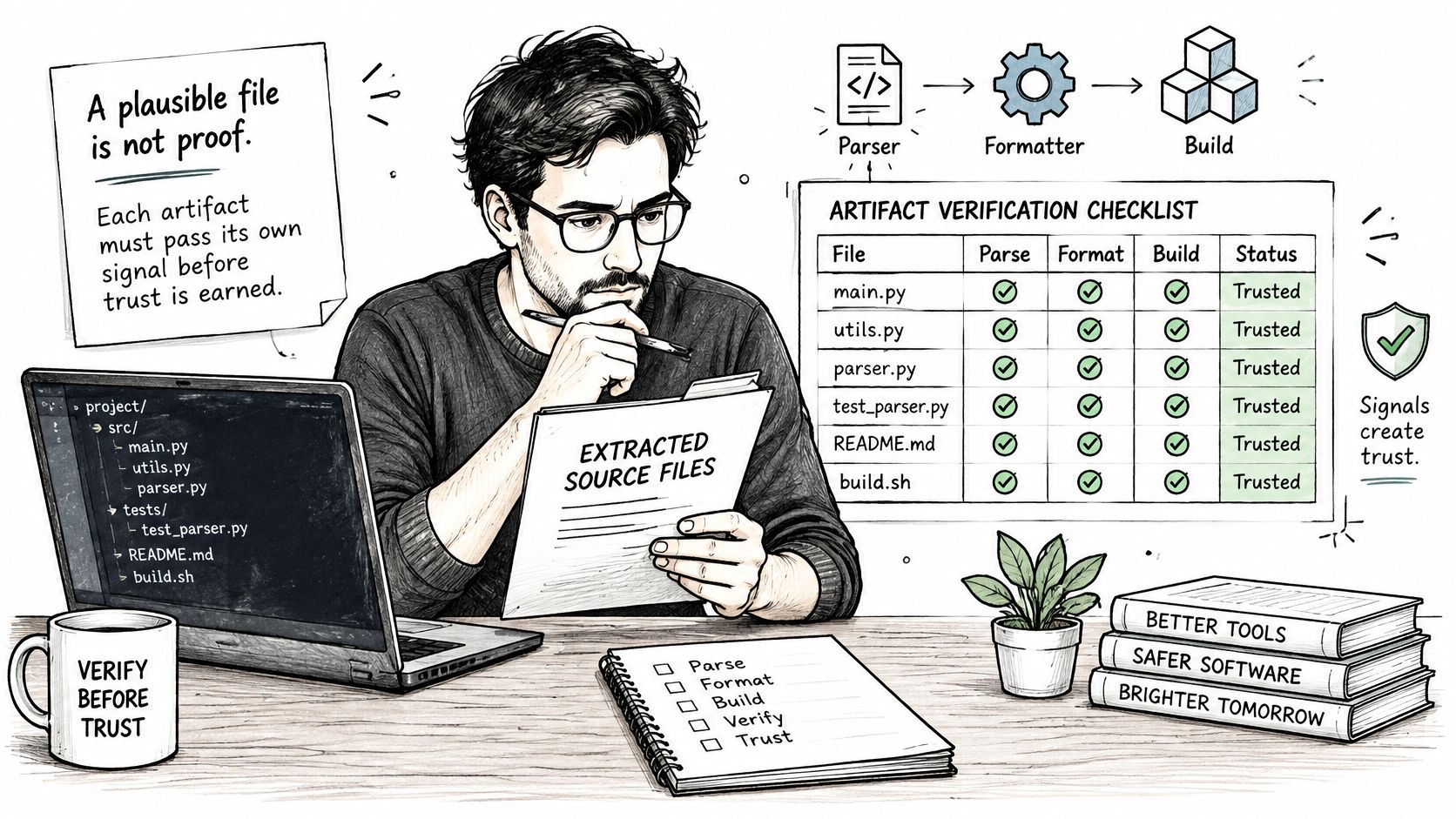
Every generated file stays provisional until its checks pass. A plausible-looking source file proves neither that it parses nor that it belongs in the reconstructed project.
Use an artifact-level checklist rather than treating extraction as a single success or failure:
| Artifact | Check | Catches | Pass signal |
|---|---|---|---|
| Source files (.js, .py, .go) | Formatter or parser run | Broken brackets, mangled indentation | Parses without errors |
| package.json or requirements file | Clean dependency install | Missing or wrong package versions | Install finishes without resolution errors |
| .env.example | Compare with variables the app reads | Missing configuration keys | Keys are documented; local placeholders work where supported |
| Build scripts or Dockerfile | Build in an empty folder | Hidden setup steps | Build succeeds from scratch |
| Whole project | Smoke test against stated behaviour | Logic drift from the tutorial | Output matches what the video shows |
A formatter isn't a logic test, and a successful build doesn't prove that authentication or database writes work. Exercise the specific path the instructor demonstrates. For services requiring valid credentials, placeholders document configuration but won't establish a real connection.
Treat OCR as Fallible Evidence
A published evaluation of OCR on source-code images found approximately 95% overall accuracy for Google Drive OCR and 57% for Tesseract under its test conditions. Those are recognition results, not runnable-project success rates.
Review ambiguous characters such as O and 0, l and 1, braces, and indentation. Give extra attention to regular expressions, URLs, multiline strings, environment values, and punctuation. A valid identifier can still be the wrong identifier.
For weak images, pause on stable code, crop away editor chrome, upscale, and increase contrast. Compare overlapping captures, preserving the original frame for reference. If ambiguity remains, find a later moment when the instructor revisits the file instead of asking a model to invent the missing character.
Use the embedded video as supplementary viewing, not as evidence that your extracted files passed:
Accept uncertain code only after independent confirmation from narration, another clear frame, or a targeted execution check. Successful execution alone won't confirm code paths you never exercised.
Pick the Right Export Option
Choose ZIP for local work, a private repository for drafts, and a public repository for material you're ready and permitted to share.
| Export option | Best for | What it contains | Check before using |
|---|---|---|---|
| ZIP download | Local runs and offline work | Source files, folder tree, README and config examples | Install dependencies in a new folder |
| New private GitHub repository | Drafts and work in progress | Repository with README and .gitignore | Verify the project before inviting others |
| New public GitHub repository | Portfolio or open sharing | Repository with README and .gitignore | Confirm attribution and that you may share it |
| Private library copy | Revisiting later | Stored artifacts and metadata | Keep a ZIP backup of the verified version |
A ZIP avoids repository setup when you want to inspect a project locally. Extract it into a fresh directory rather than dropping it over an existing application. Otherwise, old dependencies, ignored files, or leftover configuration can conceal missing artifacts.
A GitHub export gives you a place to track changes and retain setup instructions. Inspect the generated .gitignore before committing: local environment files, credentials, build output, and dependency directories shouldn't slip into the repository merely because export was convenient.
Separate Storage From Permission to Share
A public tutorial isn't automatically permission to redistribute its entire project. Check the creator's repository license and any stated reuse terms. Attribution is important, but it doesn't replace permission where permission is required.
Keep the tutorial title, creator name, and source-video reference in the README. If you adapt the implementation, describe your changes rather than presenting the reconstructed work as an entirely original application.
The private library stores extracted artifacts and metadata, not a re-hosted copy of the original video. Keep your own verified ZIP as a reference snapshot, and include the setup notes needed to reproduce that snapshot.
Sharing checkpoint: Before making a repository public, inspect both the files and the commit history for secrets, copied credentials, and material you shouldn't publish.
For a portfolio, add a clear account of what you built beyond the tutorial. A working baseline is useful; documented independent changes make your contribution understandable.
Common Problems and How to Fix Them
When installation fails with a version error, check the runtime before changing package versions. Matching the instructor's environment is a cleaner diagnostic step than upgrading dependencies until the error disappears.
| Symptom | Likely cause | Fix |
|---|---|---|
| Install fails with a version error | Runtime differs from the one the instructor used | Install the runtime version noted during setup |
| Output differs from the video | Upstream library or repository branch has moved | Pin the versions your environment file records |
| Environment variable missing | .env.example is incomplete | Fill placeholders for the keys the app reads |
| Database or API error | Service or migration step shown only briefly | Search the transcript and run migrations in order |
| Syntax error or odd character | OCR mistake | Compare with a later frame and the formatter output |
| File missing from the tree | Shown briefly or never narrated | Ask the AI tutor about the file name and compare with the folder structure |
The distinction is extraction versus reproducibility. The CodeRefinery lesson on reproducible environments recommends maintaining versioned dependency lists and environment files because packages and repository branches can change.
If output differs, inspect the installed dependency versions and selected branch before rewriting business logic. Preserve a supplied lock file when it matches the tutorial; if none exists, record the versions you validated rather than claiming you recovered the instructor's exact environment.
Fix the Earliest Failing Prerequisite
For missing configuration, search the source for environment reads such as process.env or os.environ. Add each required key to .env.example with a description, but put real secrets only in your local environment.
For database failures, separate connection setup from schema setup. Confirm that the service is running, then apply the tutorial's migrations and seed steps in their intended order. Don't run destructive database commands against an existing project while testing reconstructed code.
A missing file deserves investigation before generation. It might be created by a scaffold command, generated during a build, or supplied through an omitted starter repository. Ask the tutor where the file is referenced and what evidence supports its proposed contents.
- Video-confirmed: Record the timestamp showing the command or correction.
- Transcript-supported: Retain the relevant instruction and its context.
- Inferred: Label your proposed repair and the test used to validate it.
Keep changes small enough to test independently. If you replace the runtime, upgrade packages, and rewrite configuration together, you won't know which change fixed the failure.
Run the Project and Make Your First Change
Run the checked project from a clean folder, then change a behaviour you can predict. Use the documented installation and startup commands, confirm the baseline result, and choose a small edit such as a route response, component prop, or query filter.
Keep the editor, terminal, and browser visible while testing the change:
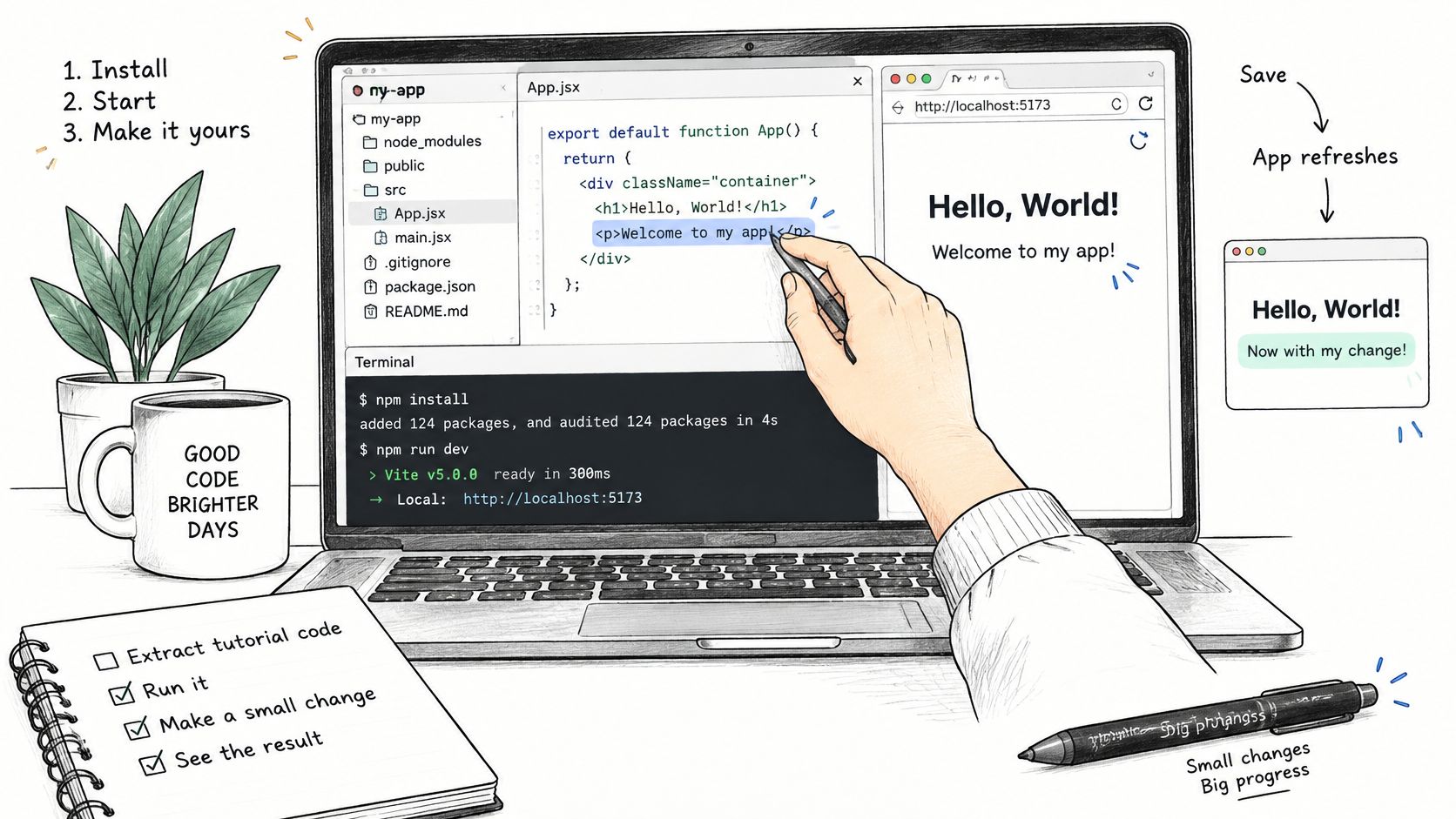
Predict the result before refreshing. If the application behaves differently, trace the input through the relevant file rather than immediately requesting a replacement implementation.
Video learning deserves that extra checkpoint. In Stack Overflow's 2025 Developer Survey, 70% of respondents learning to code used YouTube as a community resource, compared with 60% of professional developers.
Keep the Explanation With the Code
Ask the AI tutor a focused question containing the exact error message, file name, and action that triggered it. Ask which tutorial instruction supports the answer, especially when the proposed fix introduces code that wasn't visibly demonstrated.
Add a README record containing:
- Origin: Tutorial title, creator, and source-video reference.
- Environment: Validated runtime versions and setup commands.
- Confidence: Confirmed sections, inferred repairs, and remaining uncertainties.
- Understanding: A short explanation of each generated file's purpose.
Include written descriptions for visual-only steps so the project remains understandable without repeatedly watching the screen. Your final checkpoint is explaining how the modified behaviour works in your own words. If you can't do that yet, keep the uncertainty visible rather than calling the project finished.
YouExtractor reconstructs files, folder structures, dependencies, and setup instructions from eligible public YouTube programming tutorials, with ZIP and GitHub export options. Visit YouExtractor, choose a clearly narrated tutorial, and use the verification workflow above to turn its output into a project you can run and explain.